
Omotenashi — before we speak of it,
technology gets the basics right.
The lodging industry still leans too heavily on the word "omotenashi."
We stand at the opposite pole.
Compliance through software. Profitability through AI. Experience through the guest page. Commerce through dashboards.
Human care, we believe, only gains value once that foundation is set.
Guest Portal &
AI Guest Support
Every booking gets its own guest page. Online check-in, arrival-day directions, how the house works, local guides, in-trip bookings and support are all in one URL. No app to install and no account to create.
- Five tabs — Today, Home, Explore, Shop and Help. What the guest needs right now moves to the top as the stay goes on
- 5 languages — Japanese, English, Simplified Chinese, Traditional Chinese and Korean. The first language follows the guest's nationality
- AI guest support — AI answers in the guest's language 24 hours a day and hands over to our team when needed
- In-trip services, right there — Extra nights, airport transfers (Osaka), luggage storage, eSIMs, tickets and day trips can be booked from the guest page
- Everyday guides — Wi-Fi, rubbish sorting, appliances, ordering food delivery, nearby smoking areas and disaster information
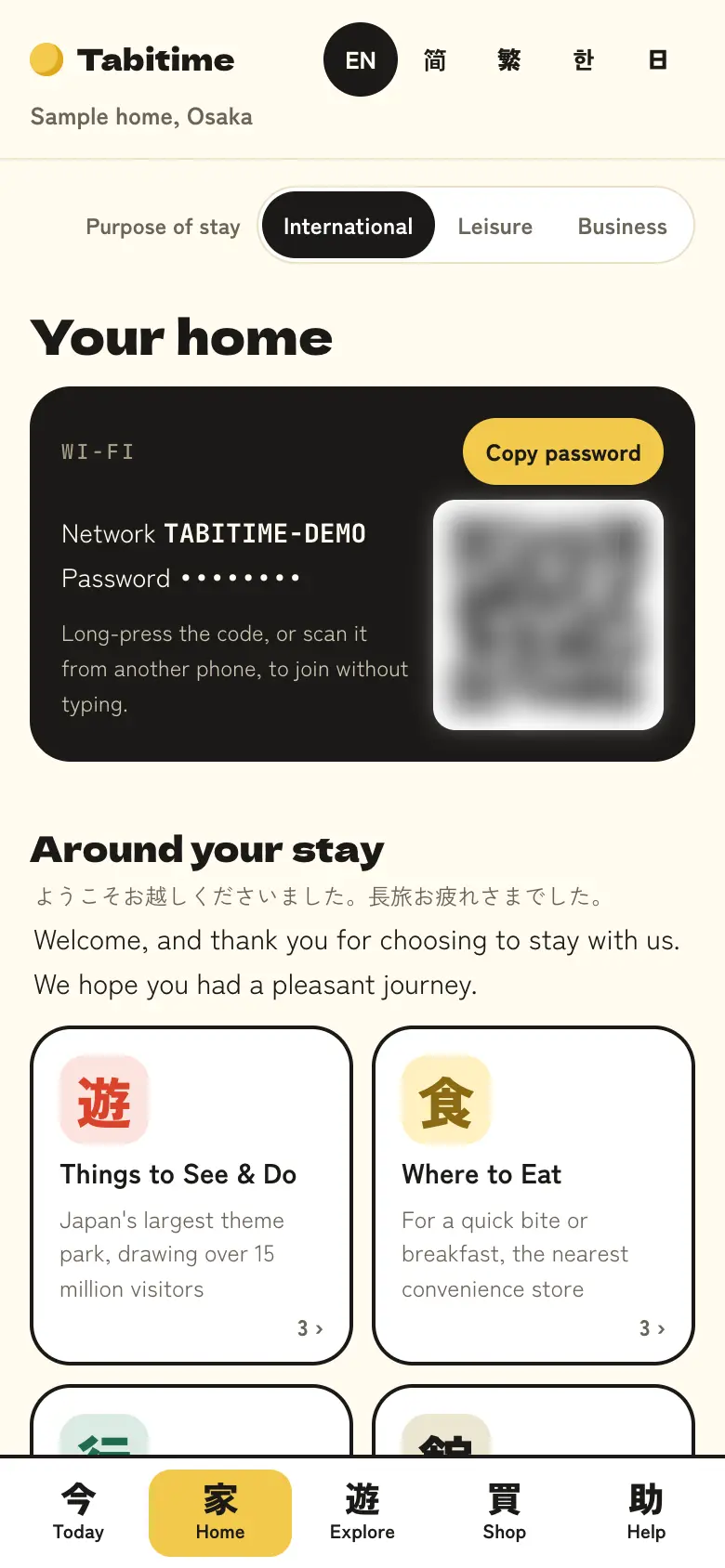
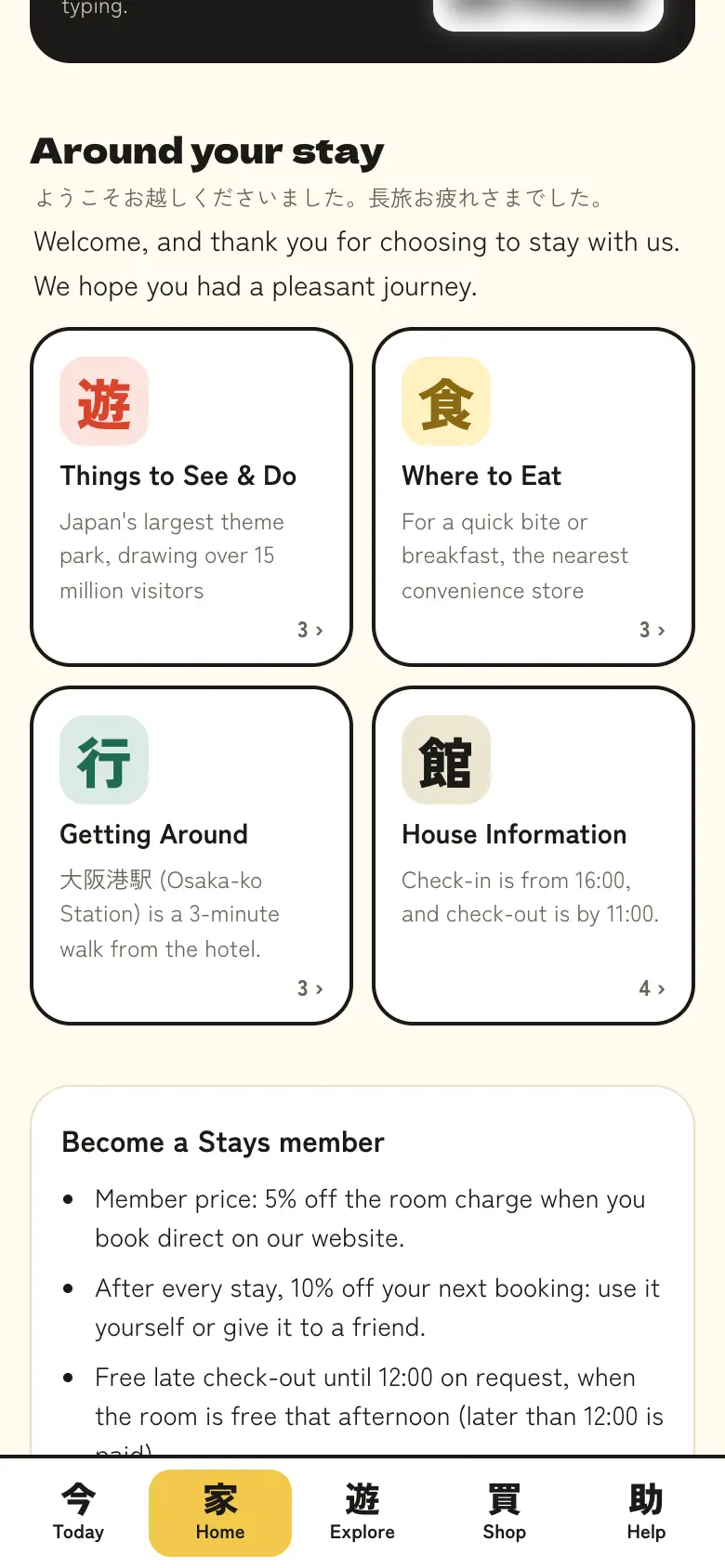
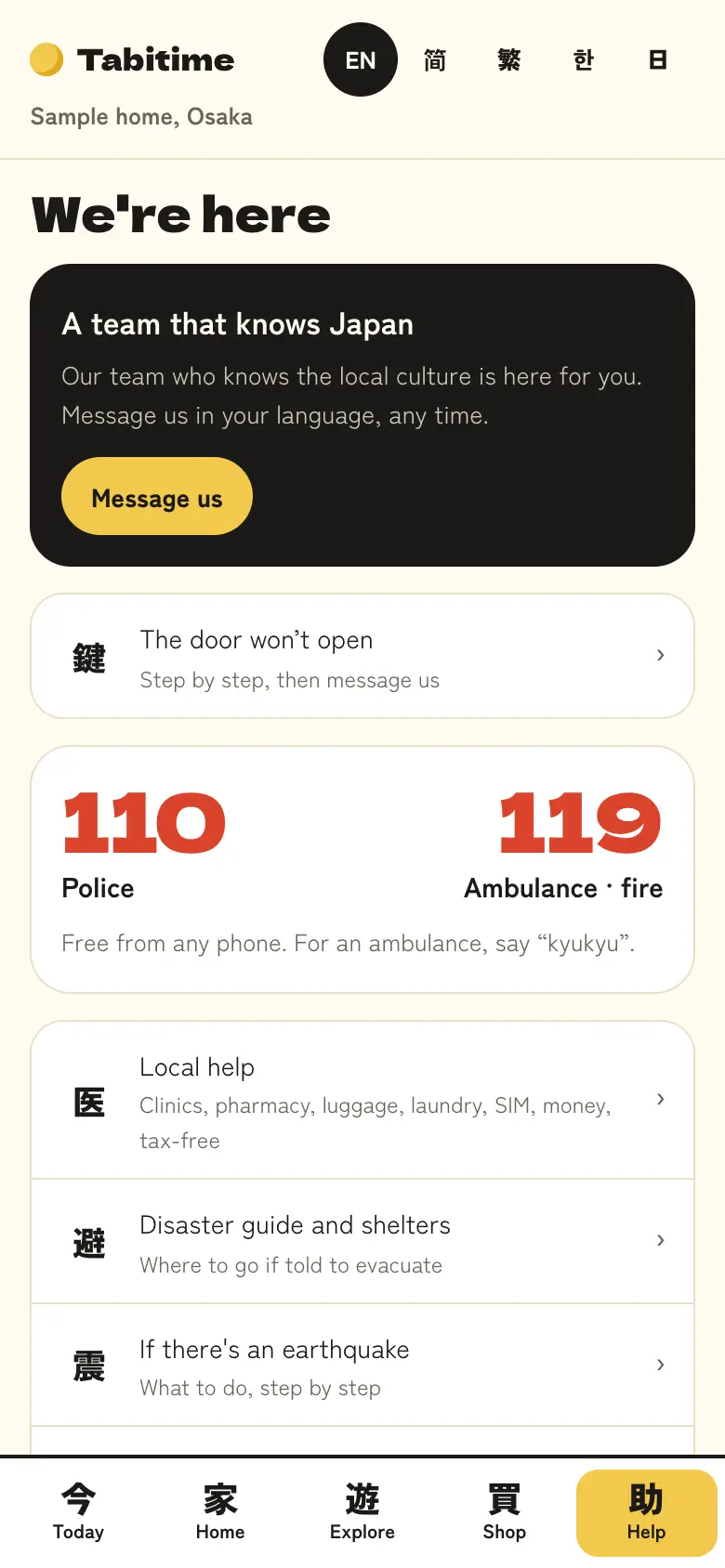
Actual guest page screens (demo booking data).
- 1Base rateSet for each month and day type (weekday, night before a holiday, etc.)
- 2Adjusted for market and paceLocal market, competitor rates and booking pace
- 3GuardrailsKept within increase, decrease and floor limits
- 4Sent to the OTAsPushed automatically to the major OTAs through our channel manager
A diagram of how it works (not an actual screen).
AI Dynamic Pricing
Reviewed automatically, every day
Starting from a base rate for each month and day type, rates are reviewed automatically every day against the local market and booking pace. Guardrails cap increases, decreases and floor prices, and each property is checked by a person before automation is switched on.
- Market data plus our own data — Competitor rates and demand forecasts nearby (from an external market data service), combined with our own booking pace
- Daily patrol — Upcoming dates are checked every morning and afternoon: slow dates come down, fast-selling dates go up
- Same-day steps for hotels — Unsold hotel rooms are reviewed at 12:00, 15:00, 18:00 and 21:00 on the day, never below the floor price
- Guardrails and human review — Automatic increases up to 30% and decreases up to 20%, with a floor price per property. Automation is switched on per property after a person has checked it
Field App ·
Field staff & cleaning
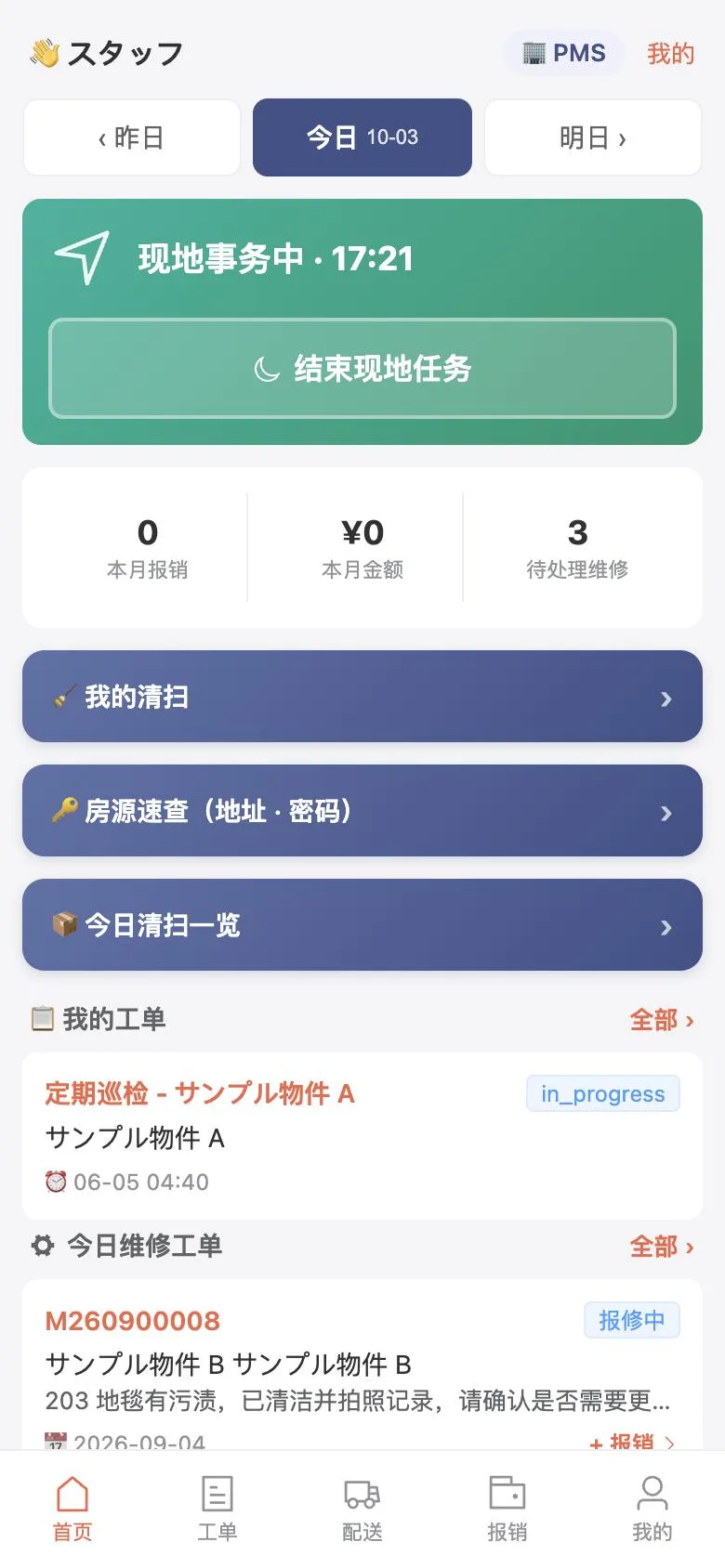
Cleaners and field staff simply open their page in a smartphone browser. Cleaning tasks are created from check-outs, and the day's work, notes and the next guest's arrival time are all in one place.
- Cleaning tasks created automatically — A cleaning task is created for every check-out and sent to the assigned cleaning company or cleaner, with a daily check that none are missing
- A page for each cleaner — Today's tasks, start and finish clock-in, cleaning notes per property, the next guest's arrival time and notes from neighbours, on one screen
- Linen stock and delivery — Linen stock is tracked per property, with a delivery route based on the day's check-outs
- Maintenance records — Each case is tracked from report to in progress, done (with photo and note) and cost settlement
- 1Check-outCheck-out date taken from the booking
- 2Cleaning task createdAssigned to the cleaning company or cleaner
- 3Done on the cleaner's phoneClock-in, cleaning notes, next guest's arrival time
- 4Unfinished alertsUnfinished cleans are emailed at 15:30 and 21:00
A diagram of how it works (not an actual screen).
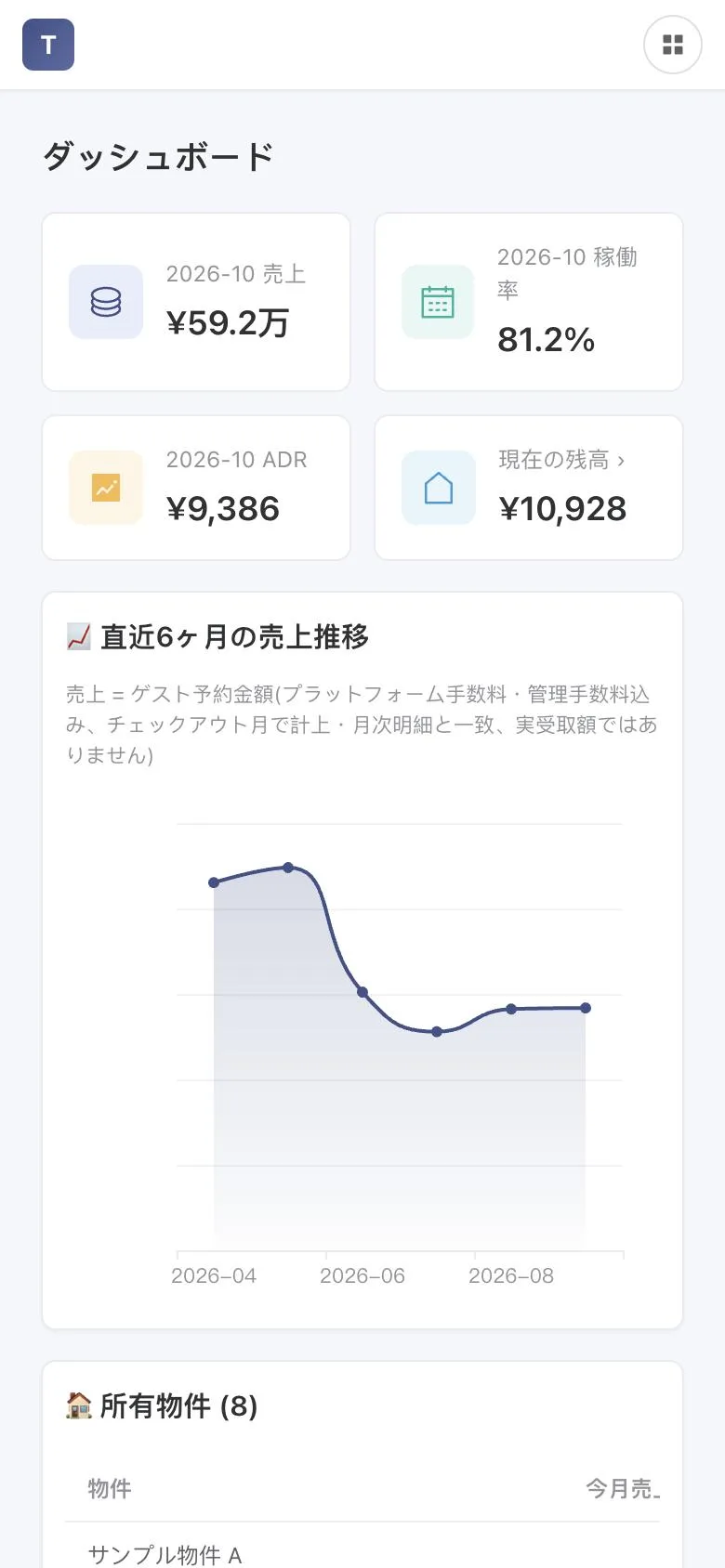
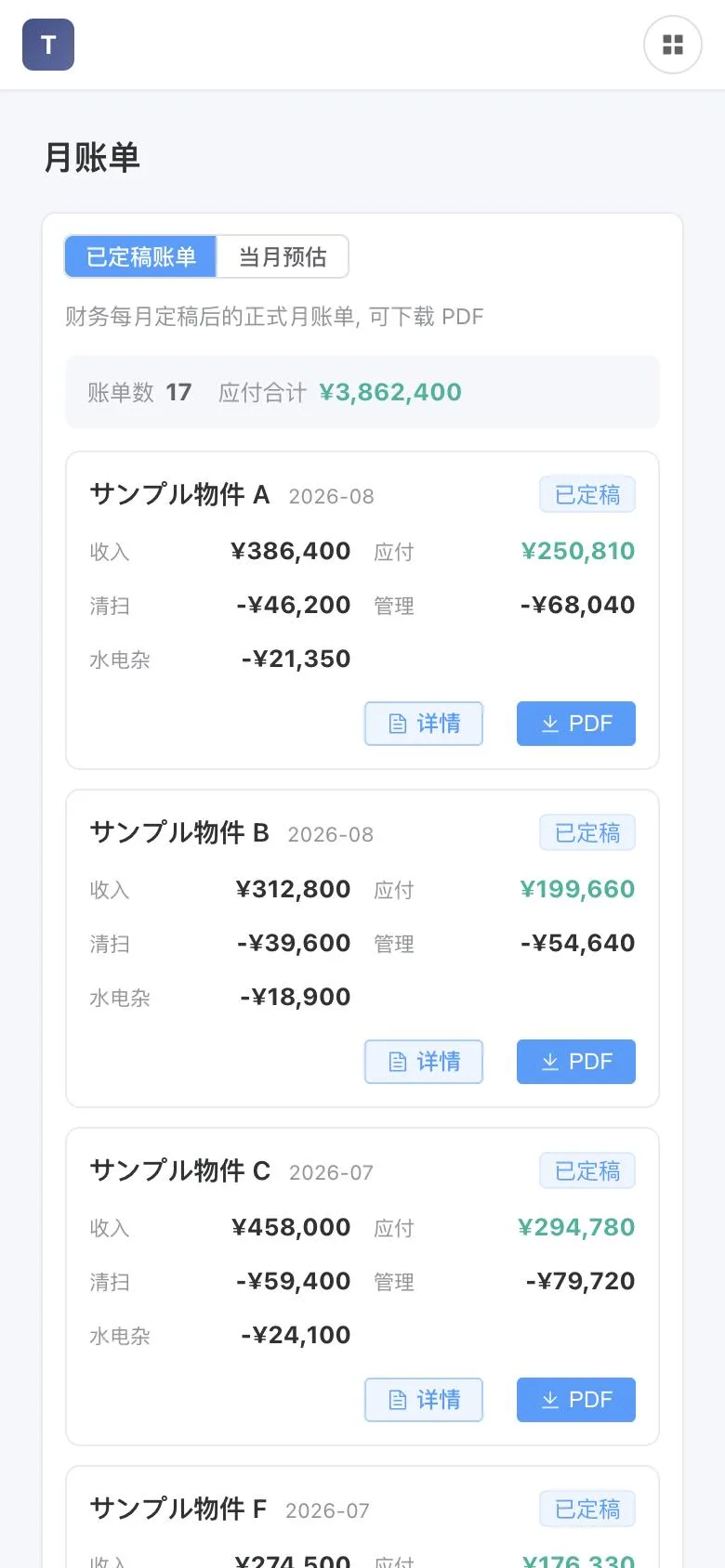
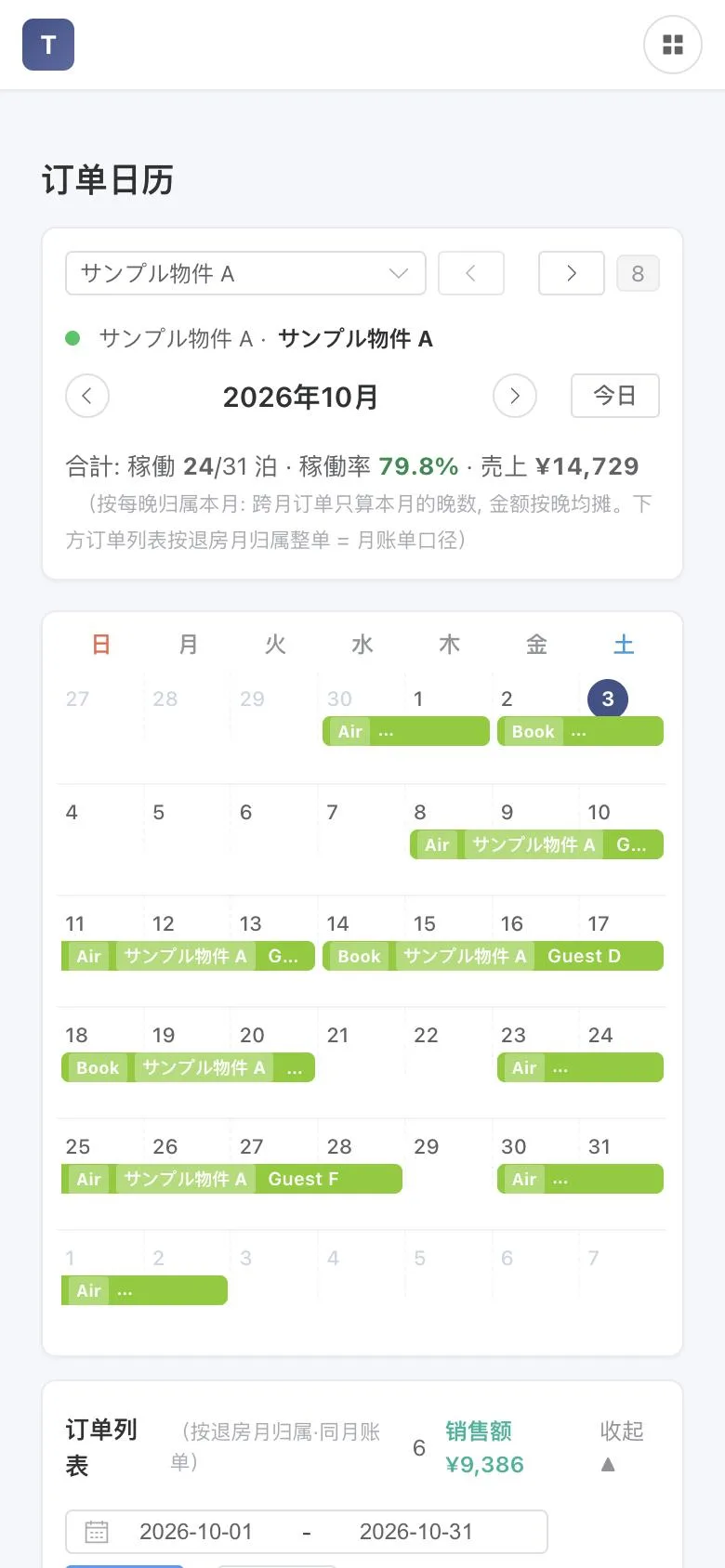
Actual screens (property names, amounts and guest names replaced with samples; some screens shown in Chinese).
Owner Portal ·
A portal for each owner
Every owner who works with us gets their own owner portal. Monthly statements, a booking calendar, sales trends and comparisons with the local market are all on their phone, any time.
- Monthly statements and PDFs — Finalised statements for past months plus a live estimate for the current month. Remittance statements and invoices are sent as PDFs
- Booking calendar and new bookings — A monthly calendar of bookings for each room, plus a list of the latest bookings
- Sales analysis and local market — Sales and occupancy trends, a comparison with similar listings nearby and the area's demand forecast
- Operations report and reviews — An operations report for the last 90 days, guest reviews and balance history
Online Check-in &
Compliance
Guests complete the guest register on their phone before arrival. Smart lock codes are issued and cancelled automatically with the booking, and lodging tax returns can be produced in each city's format.
- Online registration (5 languages) — Register fields follow the licence type (Private Lodging Business Act minpaku, special-zone minpaku or hotel/ryokan). Foreign guests, including companions, photograph their passports
- Door codes issued automatically — For smart-lock properties, the code is issued at 12:00 on arrival day and shown and active from 13:00. Cancelled bookings are disabled automatically
- Digital register and daily checks — The guest register is kept digitally for 10 years. Missing registrations are checked every morning and flagged to the team
- Lodging tax returns — Return PDFs in the formats of Osaka City and Kyoto City, plus Kyoto's monthly payment slips
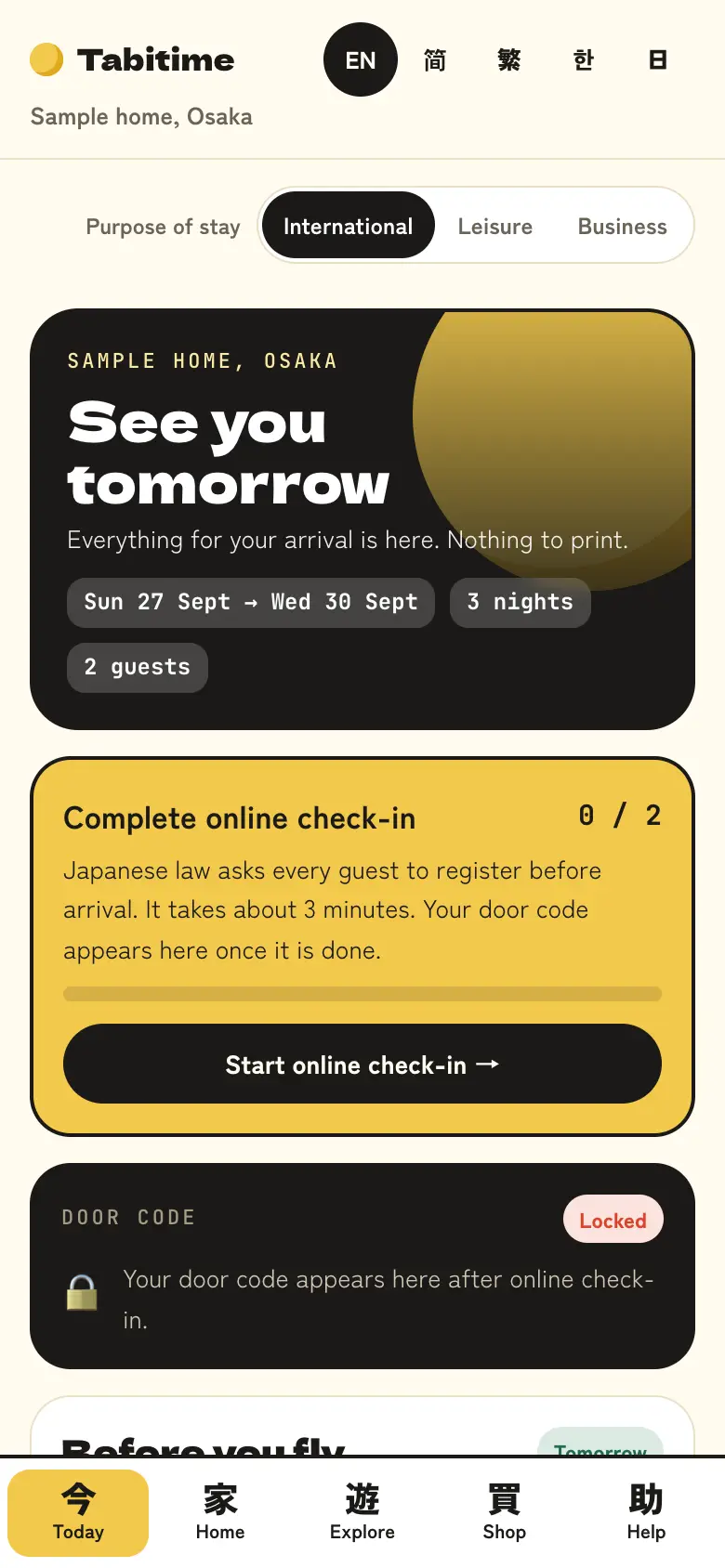
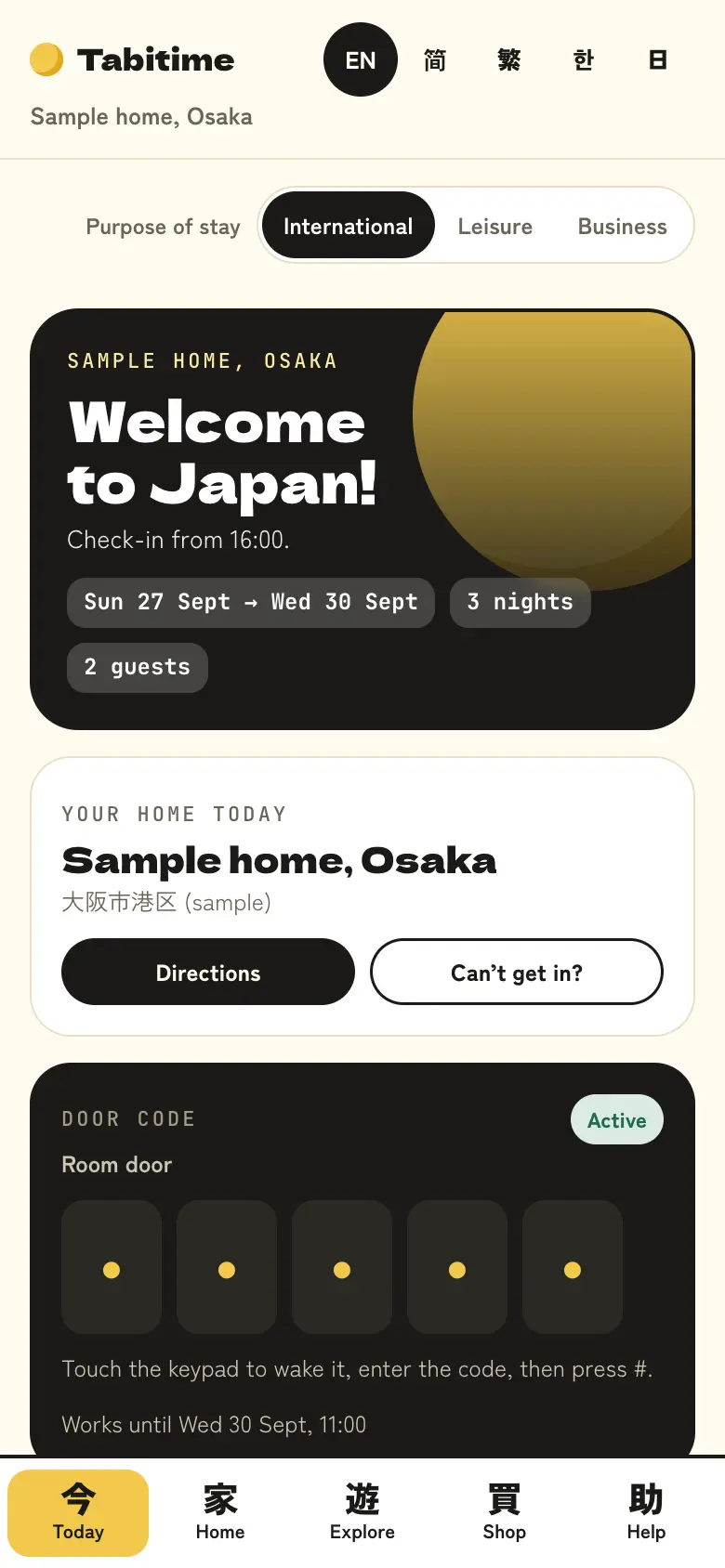
Actual guest page screens (demo booking data).
New tech, delivered
directly to the guest experience.
Unusually for a Japanese hospitality operations company, Tabitime defines itself as a tech company. Alongside the PMS and AI concierge we build for operations, our DX LAB has started experimenting with tools that help guests feel Kansai more directly. This Kansai 3D Map is the first release: walk the major sights of all seven prefectures in 3D, and see where Tabitime's properties sit relative to them at a glance.
Guests' safety & convenience,
guided by AI.
What reassures overseas guests most is never being stranded during their stay. The in-room portal's AI guide proactively covers medical, disaster, evacuation and local etiquette — in multiple languages.
Medical guide
For sudden illness, multilingual guidance to nearby clinics, what to do and after-hours care — easing worries about insurance and payment.
Real-time disaster alert
Linked to JMA seismic-intensity bulletins, it shows an instant alert and evacuation guidance in the in-room portal.
LiveEvacuation map
Shows the nearest designated shelter and the route there on a map — so no one gets lost when it matters.
Smoking areas
Using municipal open data, it shows no-smoking street zones and designated smoking spots — preventing trouble and fines.
All of this is developed within a single company.
Tabitime is an operating company that is also a "tech company," with its own software engineering team. Owners who delegate their properties receive every product introduced here as standard.