
A comfortable stay, all from your phone.
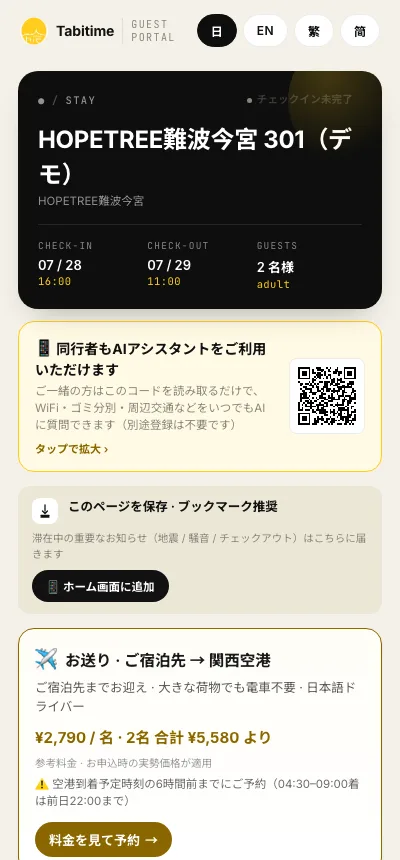
When you book a room with Tabitime, we'll introduce you to the guest portal you can use right on your phone. From check-in to support throughout your stay, everything you need is right here. No app download required—just open the link you receive after booking and you're ready to go.
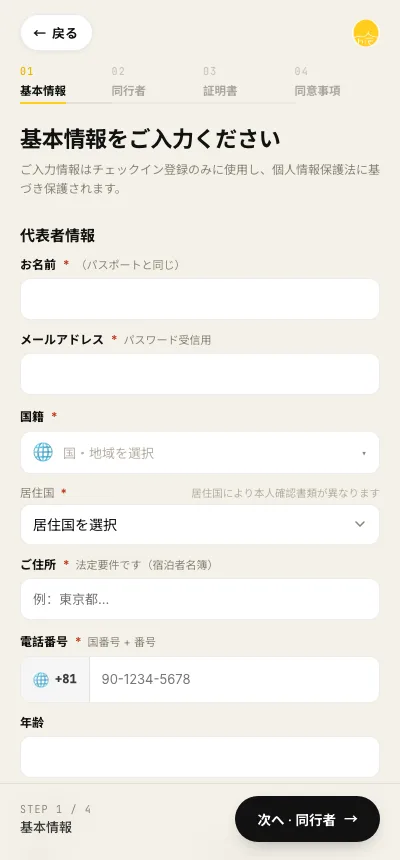
Online pre-registration
Complete guest registration and identity verification online before you arrive. Photographing your passport and registering companions is just a matter of following the on-screen steps. Reception on the day becomes smooth, so even a delayed flight or a late-night arrival is no problem.
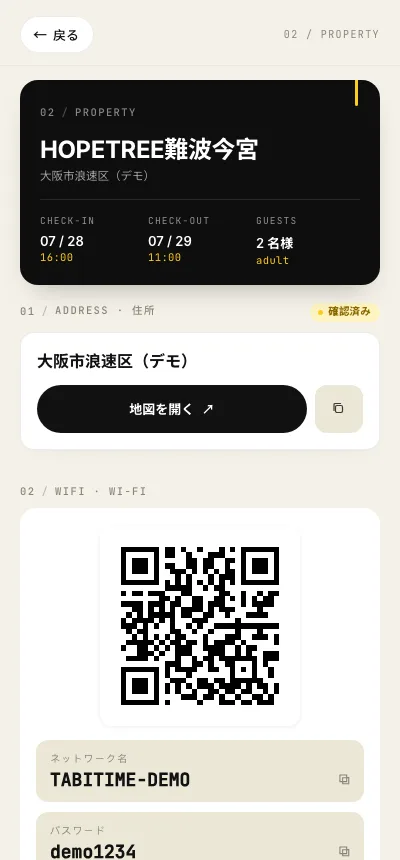
How your room works, at a glance
Your Wi-Fi password (connect instantly with a QR code), the address and map, how to use the appliances and facilities, and how to sort the trash. Everything you need for your stay is on one screen, so whenever you're unsure, just open it.
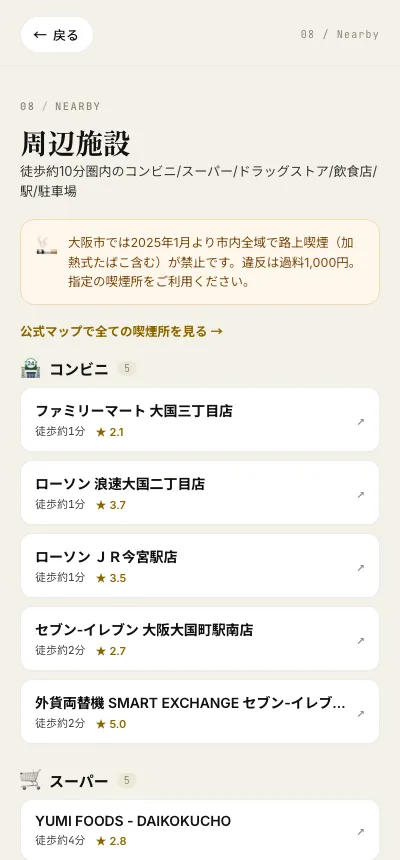
Neighborhood guide
We point you to the nearest convenience stores, supermarkets, drugstores, restaurants, and stations, each with the walking time. Even in a city you're visiting for the first time, you won't get lost from day one.
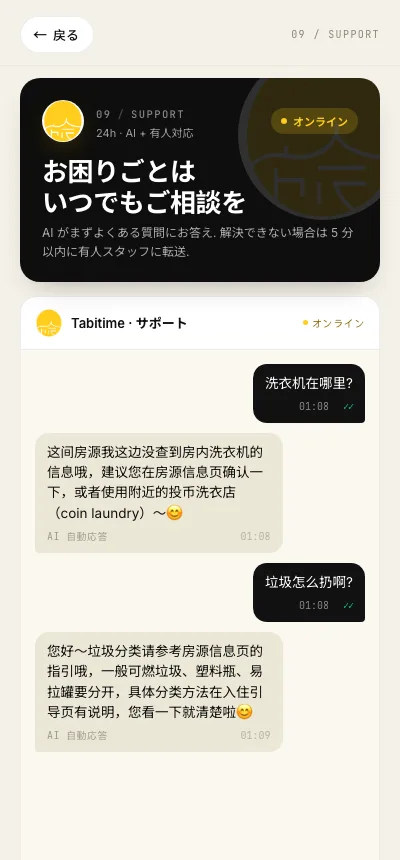
24-hour AI assistant
From connecting to Wi-Fi to sorting the trash and riding the trains, ask the AI anything, anytime. Available in Japanese, English, Chinese, and Korean, and if it can't solve your question, it connects you with our local operations team who know the area. Your companions can use it too—just scan the QR code.
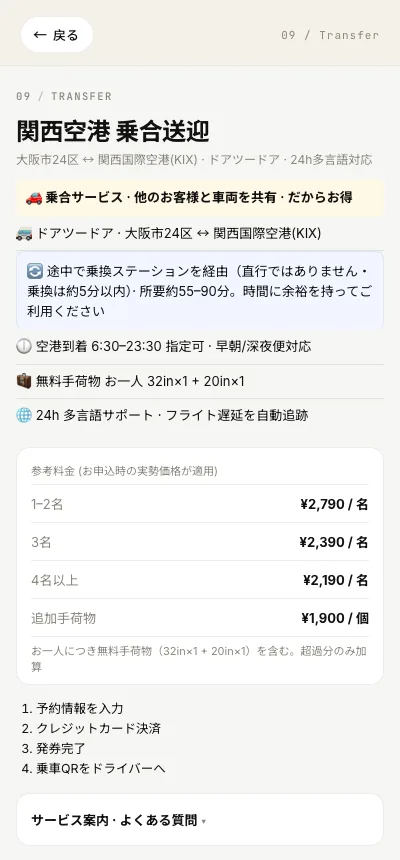
Airport transfer (paid)
You can arrange a door-to-door transfer between Kansai Airport and your room. Peace of mind even with large luggage, or a late-night or early-morning arrival. The fee is shown in the portal based on the number of passengers, and you can book right there.
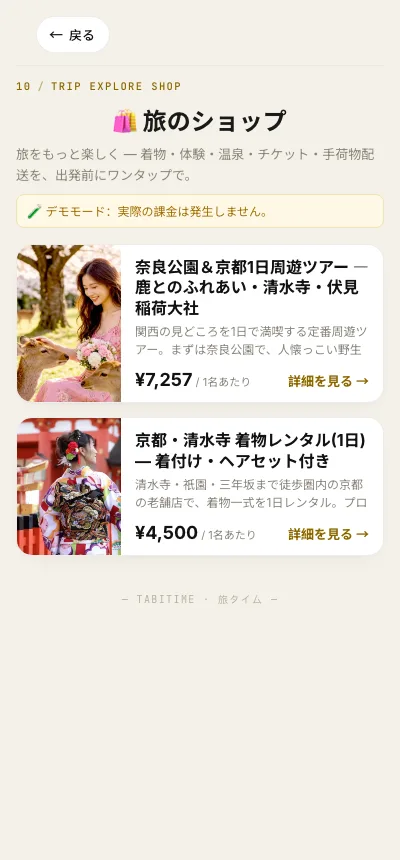
Trip store & tour bookings
Book experiences that make your trip more fun—kimono rental, tea ceremony, food tours, day trips, and more—straight from the portal. One tap before you head out opens up new ways to enjoy your time here.
Check-out and reporting forgotten items happen in the portal too. From arrival to departure, all from your phone, everything stays smooth right to the end.
This is a hands-on demo of the guest portal (it uses sample data, so no booking is saved). Open the demo in a new tab →
The guest portal is available after you book. Start by choosing the town and the room where you'll stay.